Without Aperio
Three terminals, three places to get stuck.
claudewaiting for permissioncodexwaiting for a design decisiongeministopped on an error
You, tabbing between them.
formerly CAM local-first
Coding agents stop and wait for you. Aperio watches every agent you run, whoever built it, and puts them in one place: one agent list, one approval queue, one notification history — in your browser, your terminal, or your phone. Agents and code stay on your own machine.
curl -fsSL https://github.com/jcyLite/cam-releases/releases/latest/download/install-remote.sh | bash
macOS · Linux x86_64 · Android APK. The local dashboard bridge needs Node.js 18+. Free for local use, forever →
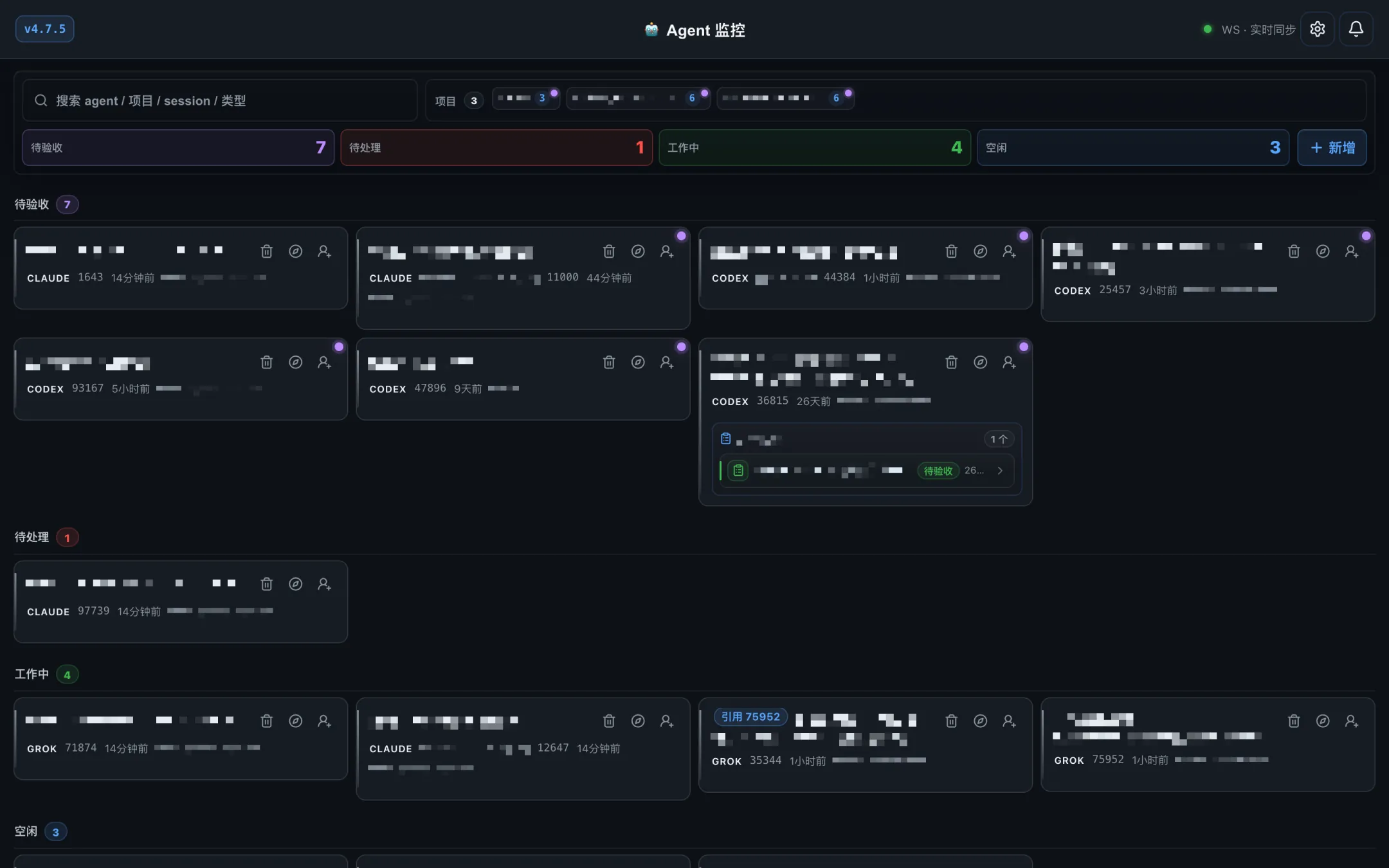
Real screenshots from a running Aperio dashboard. Project names, paths and session content are pixelated.
01The problem
Every vendor ships a way to watch its own agent. None of them will ever show you a competitor’s. If your day is Claude Code in one repo, Codex in another and Gemini CLI for a quick script, you are the glue. Aperio is that layer.
Without Aperio
claudewaiting for permissioncodexwaiting for a design decisiongeministopped on an errorYou, tabbing between them.
With Aperio
In your browser, your terminal, or your phone.
02How it works
A permission prompt, a design decision, an error.
Agent-native hooks plus terminal polling.
A structured, deduplicated notification lands where you are looking.
Tap an option, or type your own answer.
Your reply is sent back into the agent’s session.
Agents run inside tmux. Aperio combines agent-native hooks with terminal polling to decide whether an agent is working, idle, waiting for input, or asking for approval — then builds a structured notification, deduplicates it, and routes it to whichever surface you are actually looking at.
03Product
Captured from a live Aperio dashboard (Chinese UI). Everything that identifies a project or a session is pixelated.
B / Approvals
Aperio reads the agent’s question out of the terminal and turns it into structured, tappable options. You approve from a phone without typing into a TTY.
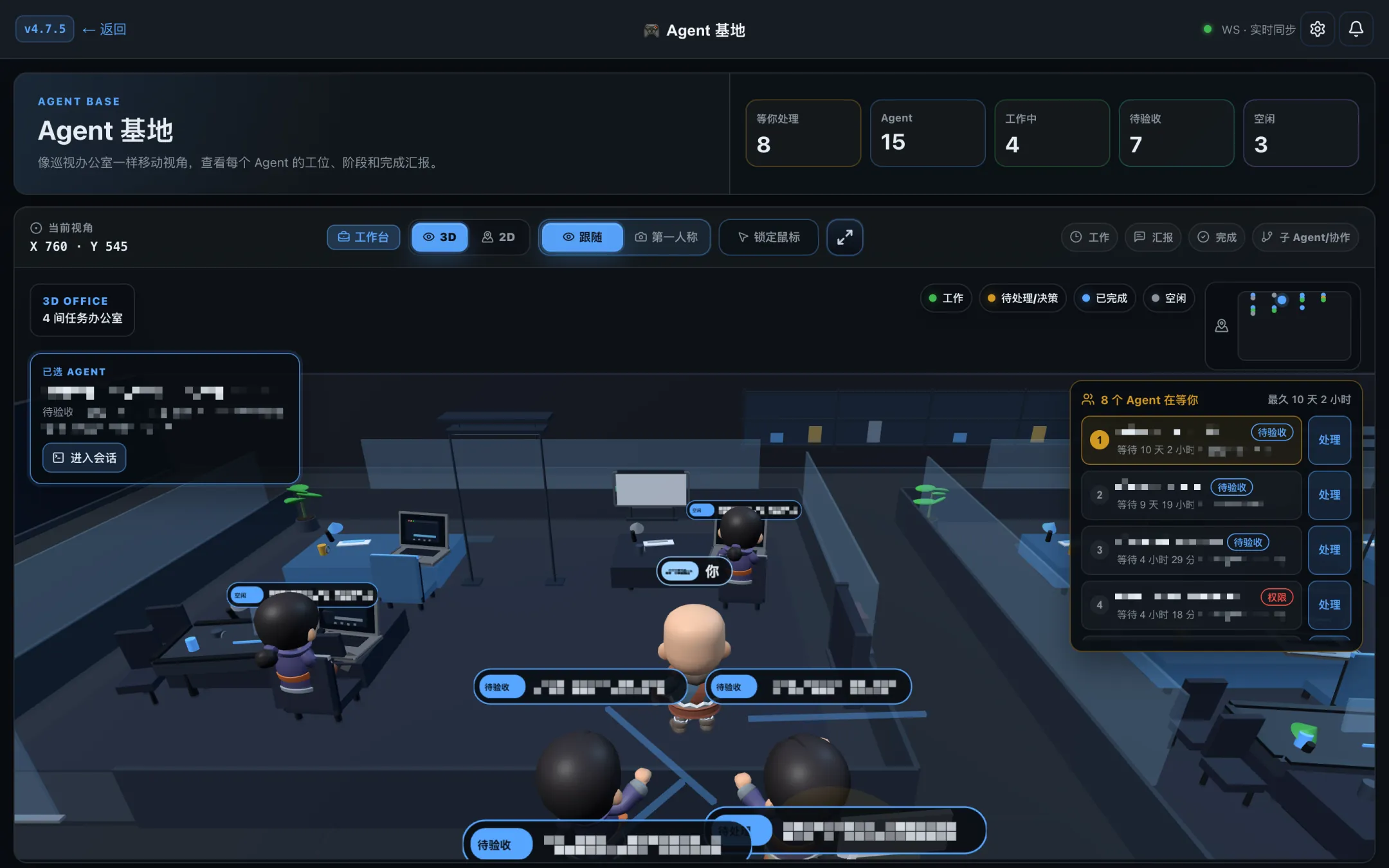
3D / Agent Base
Agent Base turns your agents into a 3D office: every agent has a desk, and its state shows on the name tag above it. Follow the camera or switch to first person, and work the “waiting on you” queue from the side panel.
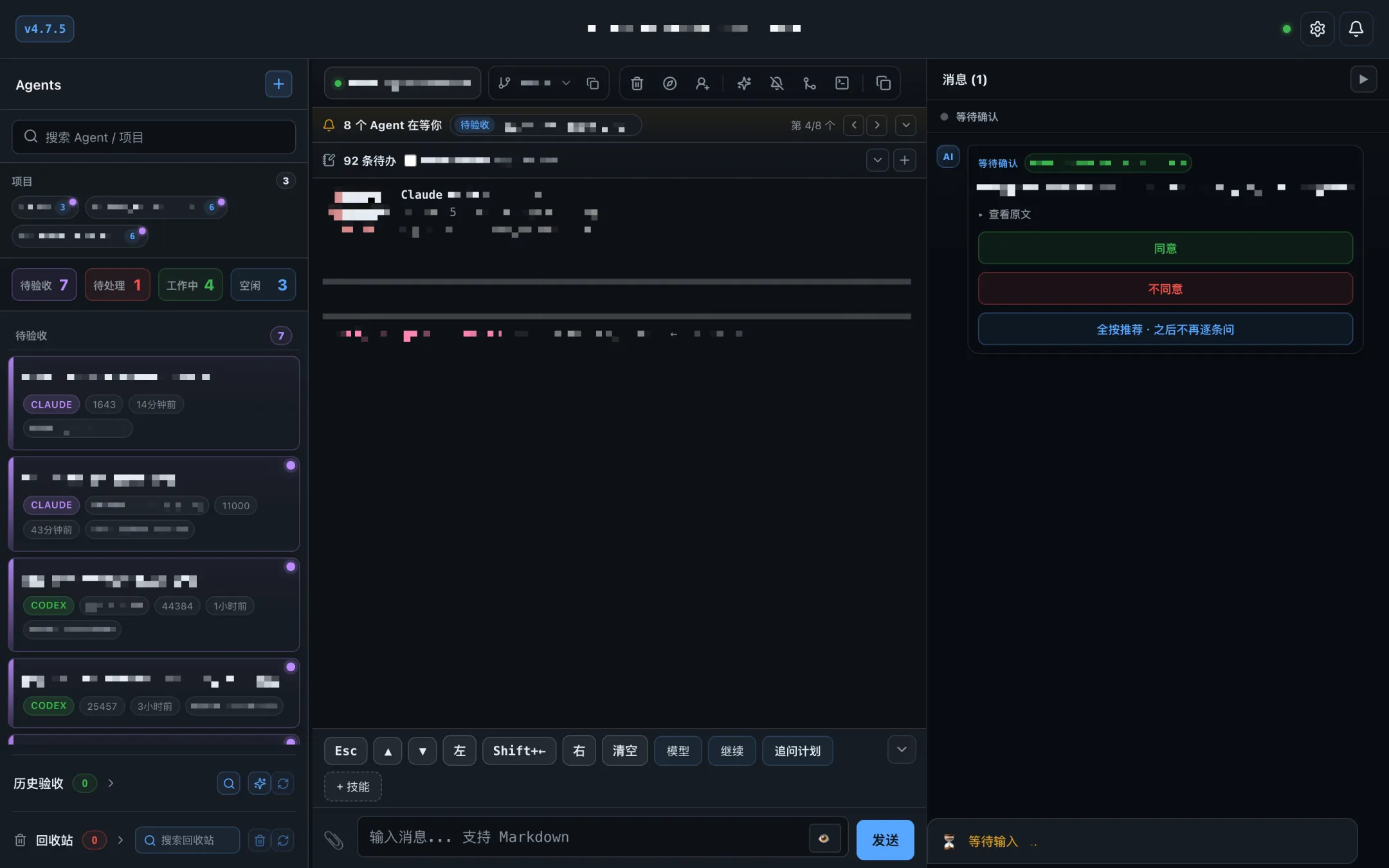
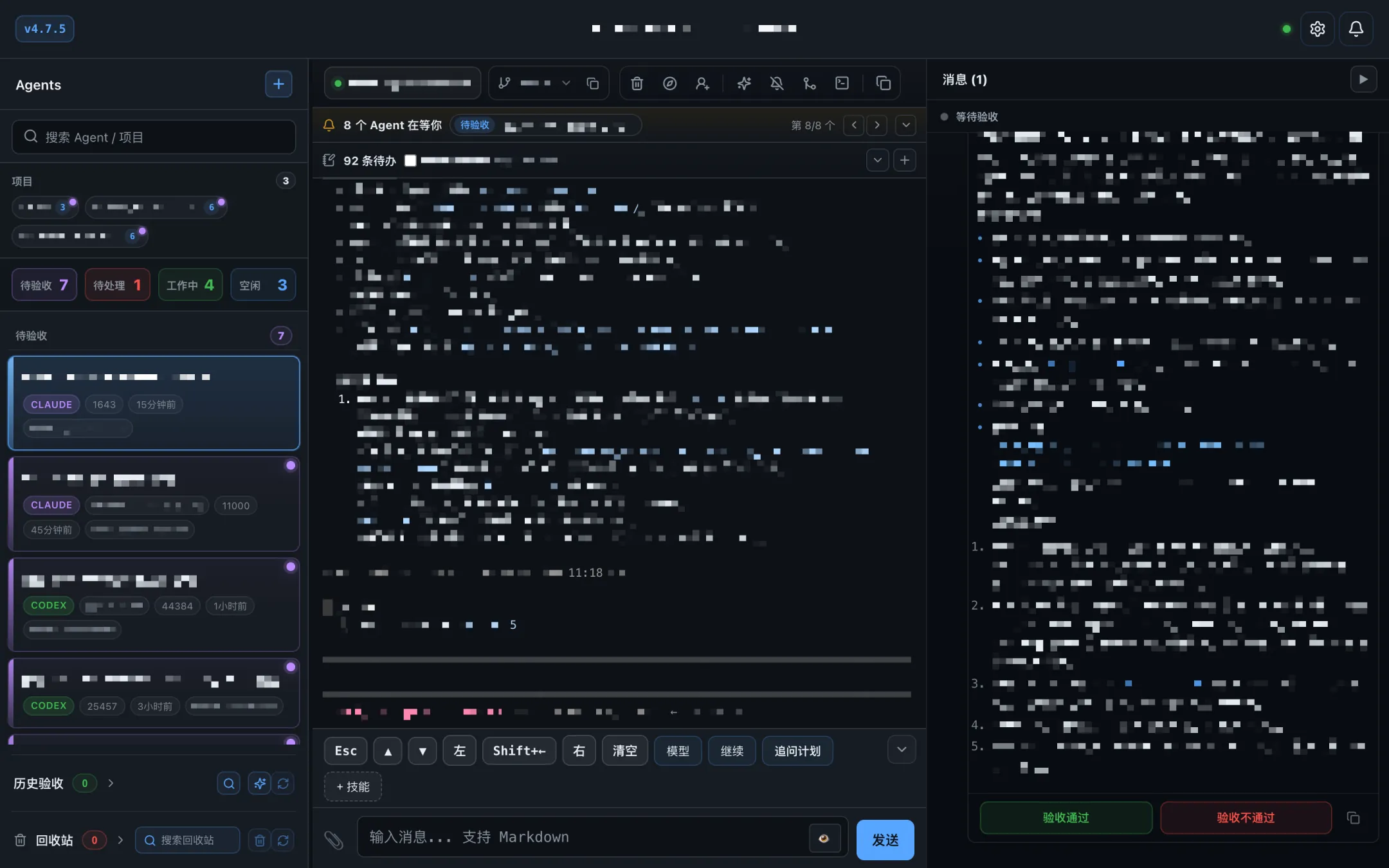
A / Sessions
Real-time status, live terminal preview and a team view. Open an agent to watch its terminal beside the agent list, with quick keys and a message box below.
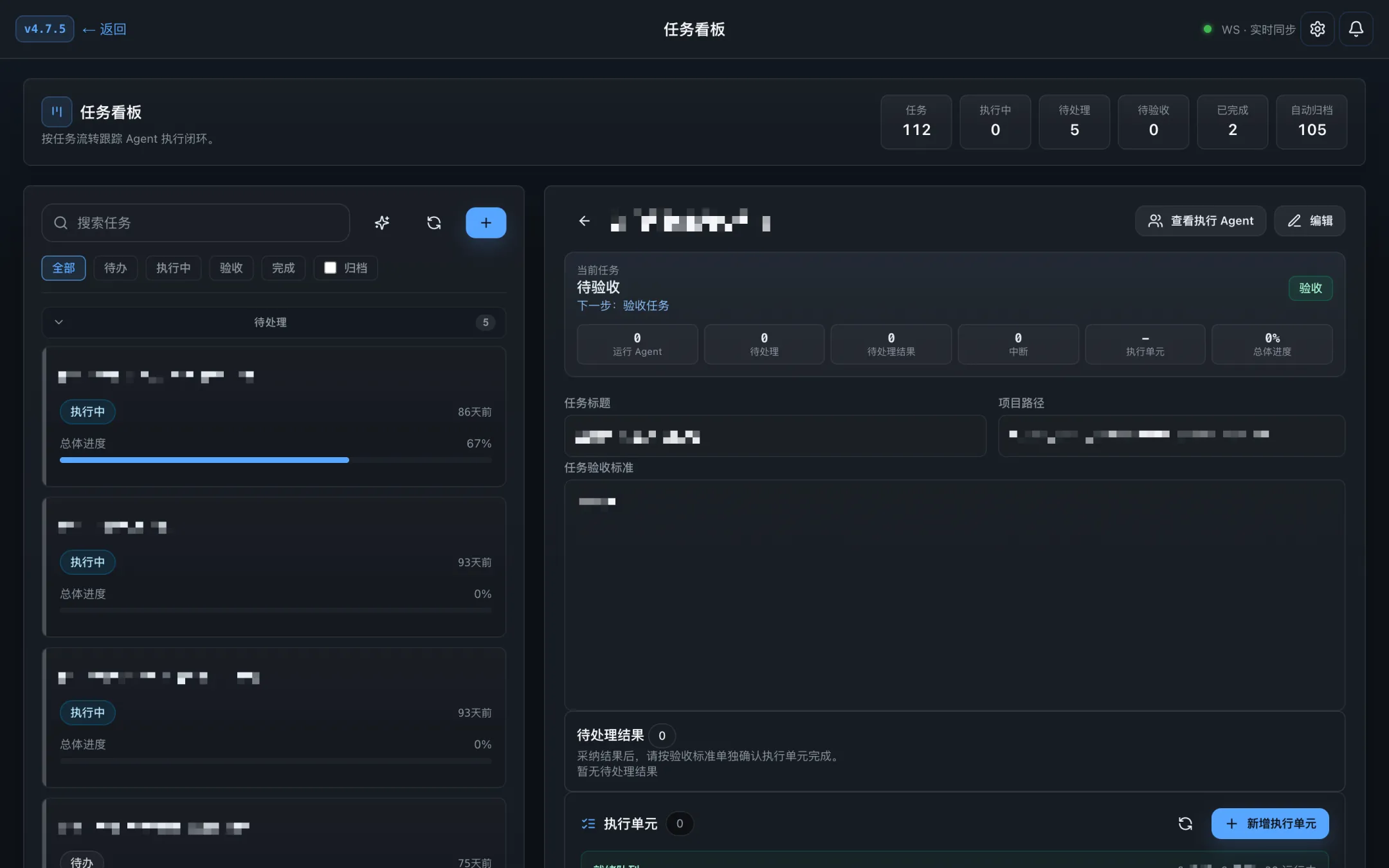
T / Tasks
The task board follows each task from start to acceptance: which agents ran it, what is pending, which execution units are done, and what is waiting for your review.
M / Mobile
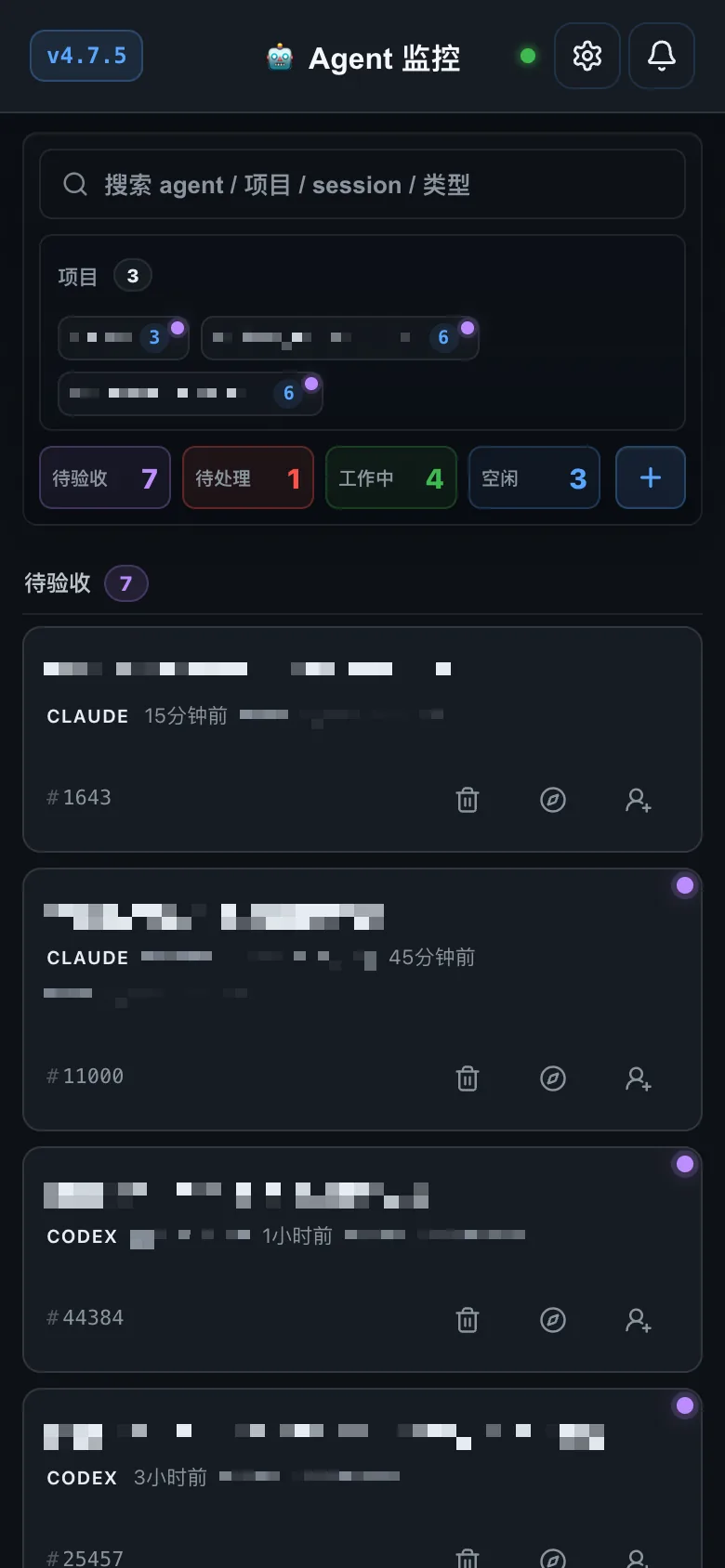
The same agent list and approval queue on a phone: tap an option instead of typing into a terminal. Releases include an Android APK.
Get the Android APK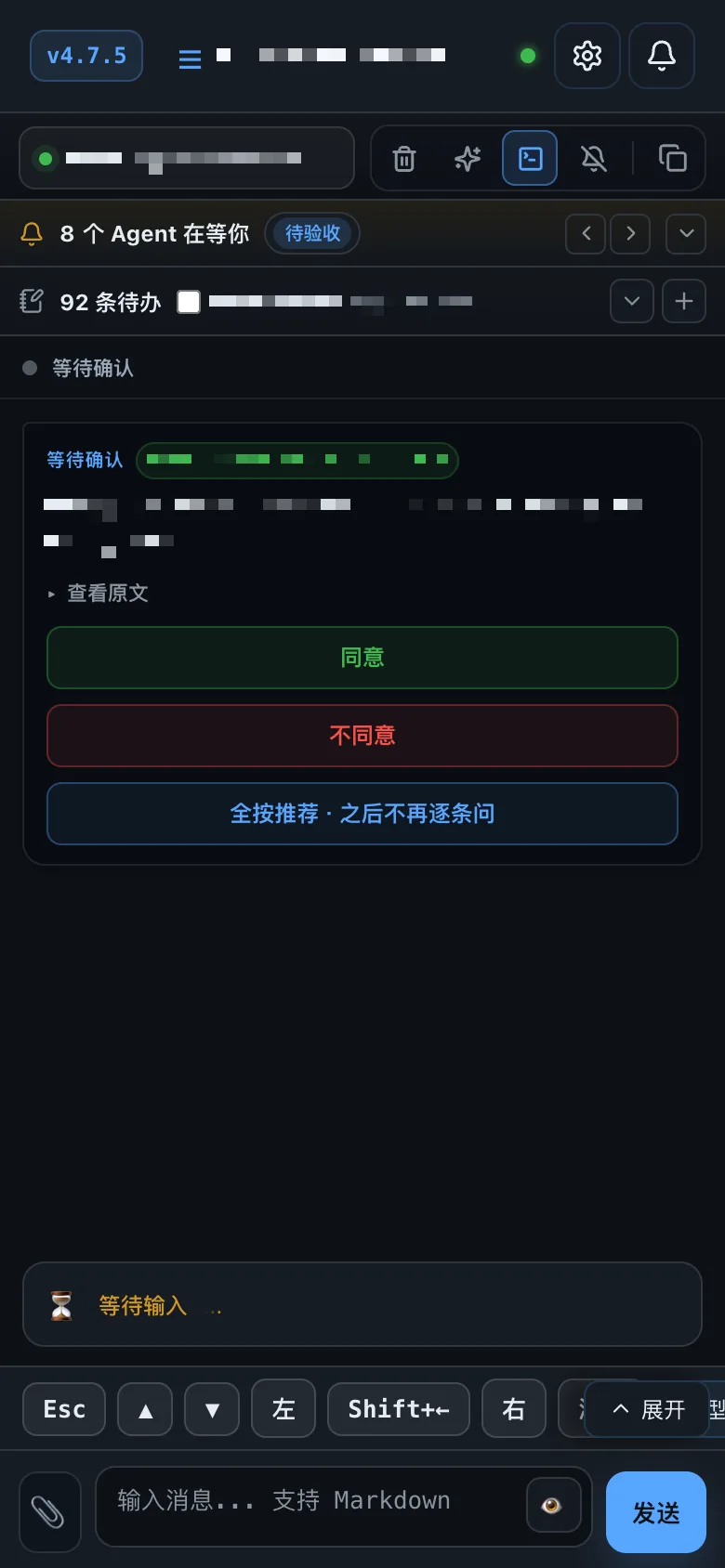
TUI / Terminal
cam tui opens a four-panel terminal dashboard: agent list, terminal preview, notification history and details.
$ claude
> …
> …
project
risk
snapshot
04Supported agents
A unified adapter layer normalizes the differences between agents. Adding a new CLI agent is a config entry, not a fork.
| Agent | Adapter | Detection |
|---|---|---|
| Claude Code | Dedicated | Hooks + session JSONL |
| Codex CLI | Dedicated | Hooks + polling |
| Qoder | Dedicated | Hooks |
| Gemini CLI | Generic | Polling |
| Mistral Vibe | Generic | Polling |
| Your own CLI agent | Custom | Polling — configure it in Settings |
Adapters declare their own detection strategy — HookOnly, HookWithPolling or PollingOnly — so hook-capable agents get instant events while everything else still works through terminal polling.
05Features
Monitor and approve agent requests from the dashboard, the TUI or your phone.
Real-time status, live terminal preview and a team view.
Your agent team as a 3D office, with a queue of who is waiting on you.
Follow each task through agent runs, pending results and acceptance.
Four panels: agent list, terminal preview, notifications, details.
Reads notification content out of terminal snapshots instead of hardcoded regex. Optional.
Auto-rates bash commands low, medium or high to support approval decisions.
Multi-agent orchestration: team creation, task assignment, progress tracking.
Persistent dedup plus burst protection, so one event is one alert.
Installs as a launchd service, starts on boot, keeps monitoring in the background.
Drive Aperio from any MCP client, or from chat in natural language.
Remote control over WebSocket/SSE, with Wake-on-LAN support.
06Local-first
Your machine
07Pricing
Everything Aperio does locally is free, now and later: no seat limits, no feature gates, no trial that expires. Paid plans will only cover what needs our servers or your whole team.
Available now
Freeforever
Coming soon
For individuals
Coming soon
For teams and companies
Our promise: what is free today stays free. We will never move a local feature behind a paywall.
08Install
No build toolchain — Rust and npm are not required. The local dashboard bridge needs Node.js 18+; the installer tells you if it is missing. The command-line tool is still called cam for now.
curl -fsSL https://github.com/jcyLite/cam-releases/releases/latest/download/install-remote.sh | bash
cam bootstrap
Interactive setup — detects your agents and config.
cam tui
Launch the TUI dashboard.
cam start "implement a TODO app"
curl -fsSL https://github.com/jcyLite/cam-releases/releases/latest/download/install-remote.sh | CAM_INSTALL_SERVICES=1 bash